TABLE OF CONTENTS
- Overview
- Prerequisites
- Configuration Steps
- Actions Supported
- Verification (MSSP Only)
- Official Documentation Link
Overview
ADManager Plus is an identity and access management solution for Active Directory, Microsoft 365, and Google Workspace. It supports forwarding management action logs in real time to a central Syslog server, enabling centralized security monitoring and audit compliance.
Prerequisites
- Administrative access to ADManager Plus.
- Administrative access to ADR SIEM UI.
- ADR CCE server IP.
- Firewall rule allowing UDP port 514 (Syslog) from ADManager Plus to the CCE server.
Configuration Steps
ADManager Plus Syslog Forwarding
- Log in to the ADManager Plus console.
- Navigate to the Admin tab, then System Settings, and select Integrations.
- In some versions, go to Personalize > Integration.
- In the Log Forwarding section, click Syslog.
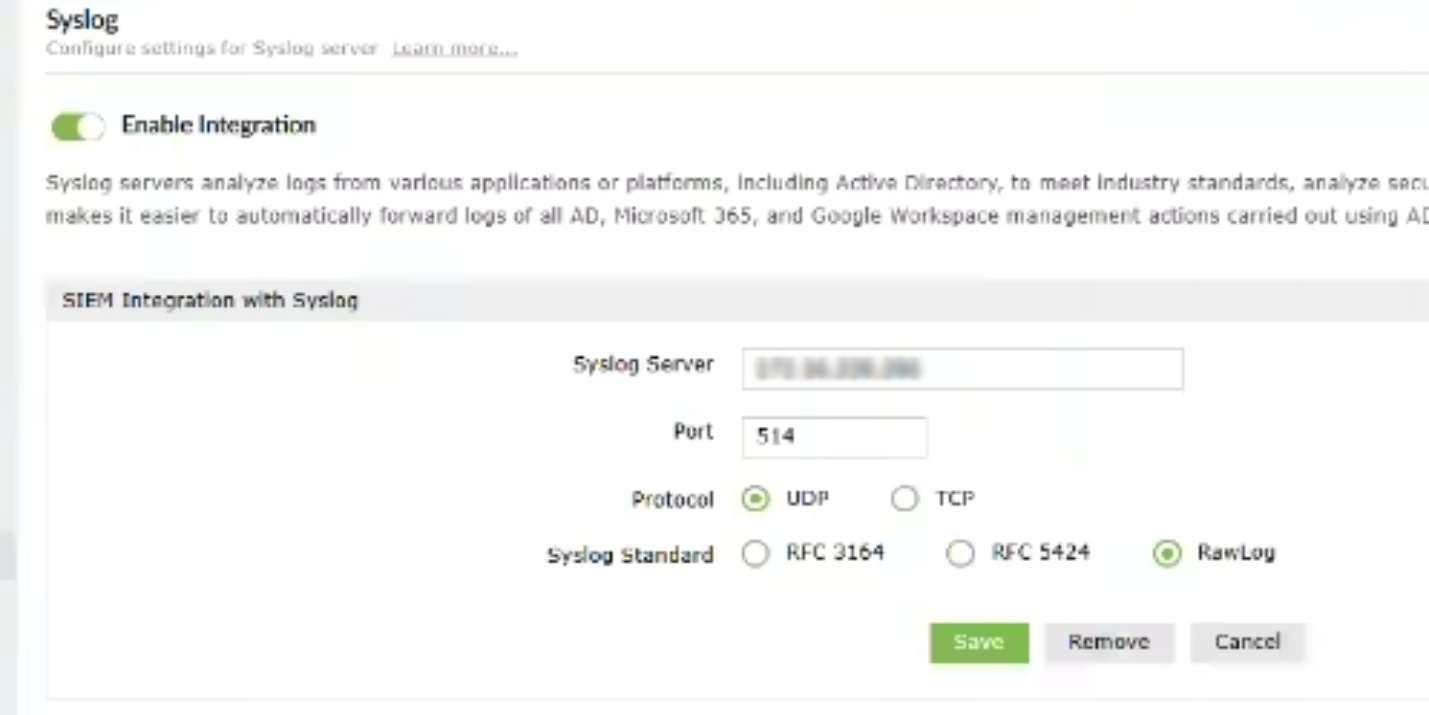
- On the Syslog Settings page:
- Check Enable forwarding of ADManager Plus data.
- Enter the ADR CCE IP address under Syslog Server.
- Port: 514.
- Protocol: UDP is default; choose TCP if encryption is required and supported.
- Syslog Standard: Select RawLog.
- Data Format: Choose the preferred payload format (ADManager provides a preview).
- Click Save to apply changes.
- By default, Enable Integration should be ON; toggle OFF to disable Syslog forwarding.
Actions Supported
ADManager Plus forwards logs for management actions in:
- Active Directory
- Google Workspace
- Microsoft 365
Common forwarded events include:
- User, group, and computer creation, modification, deletion
- Password resets and account lockouts
- Privilege escalations and access modifications
- Policy and application changes
Verification (MSSP Only)
On ADR SIEM UI
- Log in to the ADR SIEM GUI as an administrator.
- Navigate to System Logs and Flows > Collection Status.
- Confirm the ADManager Plus device (manageengine) appears under Source Device IP.
On ADR CCE (CLI)
Run the following command to confirm Syslog packets are arriving from ADManager Plus device.
sudo tcpdump -i any port 514 and host <ADManagerPlus_IP> -s0 -AAAReplace <ADManagerPlus_IP> with your actual ADManager Plus server IP to view incoming Syslog packets.
Official Documentation Link
For further reference, see ManageEngine's official ADManager Plus documentation. ManageEngine ADManager Plus
Was this article helpful?
That’s Great!
Thank you for your feedback
Sorry! We couldn't be helpful
Thank you for your feedback
Feedback sent
We appreciate your effort and will try to fix the article